 PhotoTune
 Home / AI hairstyles
AI hairstyle changer: try a new haircut on your photo
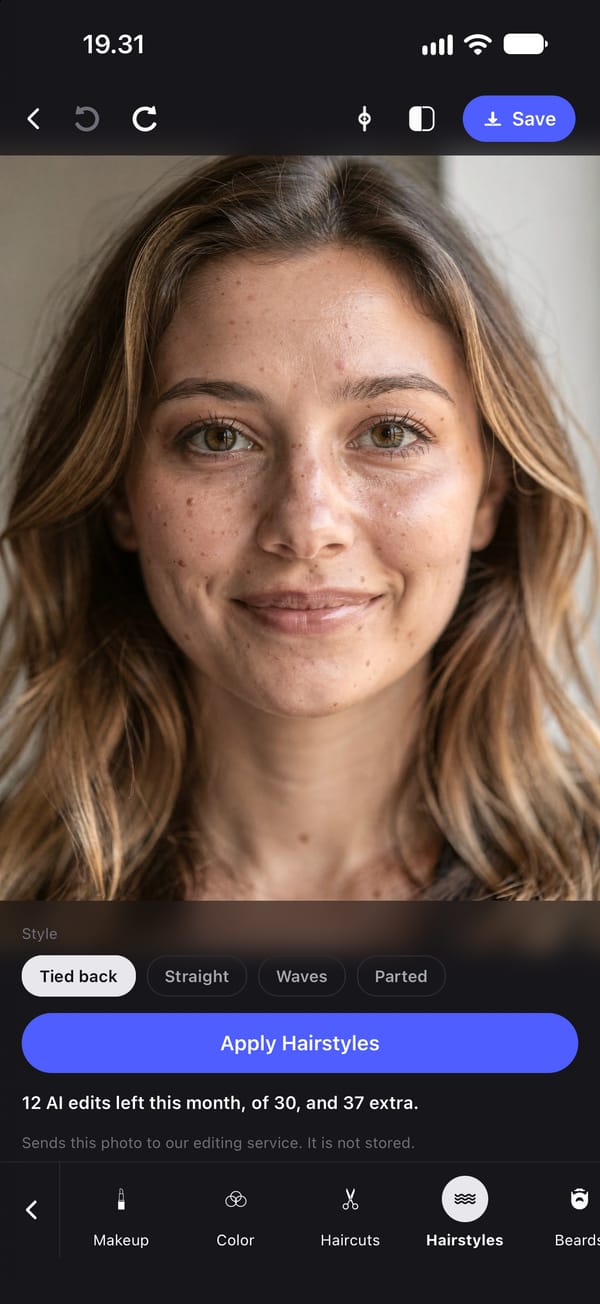
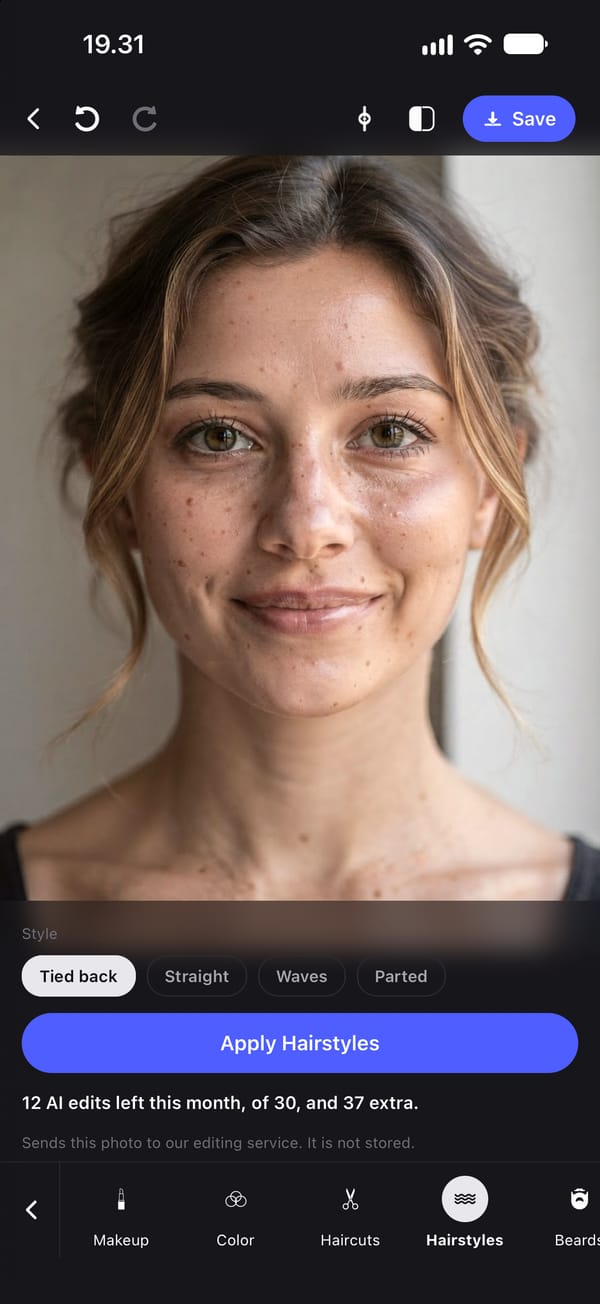
Try a new haircut on your own photo with PhotoTune’s AI hair tools. Choose from twelve haircuts, four hairstyles and six hair colours, or change a beard or eyebrows, and only the hair changes. It is an AI tool, so the photo is sent for editing when you tap it, and not stored.
Twelve haircuts to try on
Haircuts changes only the cut in your photo. The options are Shorter, Layered, Long layers, Bob, Curtain bangs, Pixie, Shag, Wolf cut, Fade, Undercut, Textured crop and Buzz.
The option tiles show each cut on a sample face so you can see what you are choosing. Those samples were made with a different model, not by the app on your photo, and the app says so: your photo will look different.
Change hair colour in a photo
Color changes only the hair colour, to Darker, Lighter, Black, Blonde, Auburn or Silver. It is a quick way to see a colour on your own face before booking it.
Restyle without cutting
Hairstyles keeps the length and changes how it is worn: Tied back, Straight, Waves or Parted. Beards sets facial hair to Clean, Stubble, Short or Full, and Eyebrows makes them Neater, Fuller or Defined.
What haircut suits my face shape?
Seeing it on your own photo answers that better than a chart of face shapes. Use a clear, front-facing photo with your hair visible, try two or three cuts, and compare them.
Each request changes only the hair and tells the model to keep your face shape, bone structure and skin texture exactly as they are. Generative results vary, so if something other than the hair changed, tap Undo at the top of the editor.
What gets sent, and what it costs
These are AI tools, so tapping one sends that photo to our editing service, which passes it to Google's Gemini and returns the result. We do not store the photo, and nothing is sent until you tap.
Each try uses one AI edit: subscriptions include 30 a month and the free trial includes 5. Undo, at the top of the editor, steps back one edit at a time, so you can try a cut, go back, and try another.
How to try a new haircut on your photo on iPhone
- 01
Choose a front-facing photo
Your face and current hair should be clearly visible.
- 02
Open Haircuts, Hairstyles or Color
You need to be signed in with a subscription or free trial, and online.
- 03
Pick an option and tap
The photo is sent, the hair changed, and the result returned. It is not stored.
- 04
Compare and try another
Tap Undo at the top of the editor to go back to your photo, then try a different option.
- 05
Save the one you like
Export it to your camera roll to show your hairdresser.
FAQ
AI hairstyles: common questions
Still have a question?
Anything not answered here — a device, a photo it struggled with, or how the trial works — reaches a person at this address.
Ask a questionHow can I see what a haircut would look like on me?
Open a front-facing photo in PhotoTune, choose Haircuts and pick one of twelve cuts. The cut in your photo is changed and your face is kept.
Can I change my hair colour in a photo?
Yes. Color changes hair to Darker, Lighter, Black, Blonde, Auburn or Silver.
Is there a beard filter?
Yes. Beards sets facial hair to Clean, Stubble, Short or Full.
Are the haircut preview pictures made from my photo?
No. The option tiles are samples made on a sample face with a different model, and the app labels them that way. Your result is made from your photo when you tap.
Is my photo stored when I try a hairstyle?
No. It is sent to our editing service when you tap and passed to Google's Gemini for the edit. Our service keeps no copy.
Step-by-step guides
Related tools
- Makeup editor
Add makeup to a photo on iPhone
Add makeup to a photo on iPhone in four looks: Everyday, Soft, Evening or Bold. Subtle, natural results that keep your skin texture and face shape.
- AI headshots
AI headshot generator from your own photo
Turn one photo into a professional headshot on iPhone: even studio lighting, a plain background, and your own pose, expression and face kept.
- Background changer
Change a photo background on iPhone
Change the background of a photo on iPhone to a studio wall, a blurred office, plain white or a warm outdoor scene. The person stays as they are.
- Natural retouch
Natural photo retouch for iPhone
A natural photo retouch app for iPhone. Smooth skin, clear blemishes and fix lighting while pores and skin texture stay. Retouching runs on your phone.