 PhotoTune
 Home / AI headshots
AI headshot generator from your own photo
PhotoTune’s AI headshot generator turns one photo you already have into a professional headshot. It relights the photo with even studio lighting and puts you on a plain background, keeping your pose, your expression and your face. It is an AI tool, so the photo is sent for editing when you tap it, and not stored.
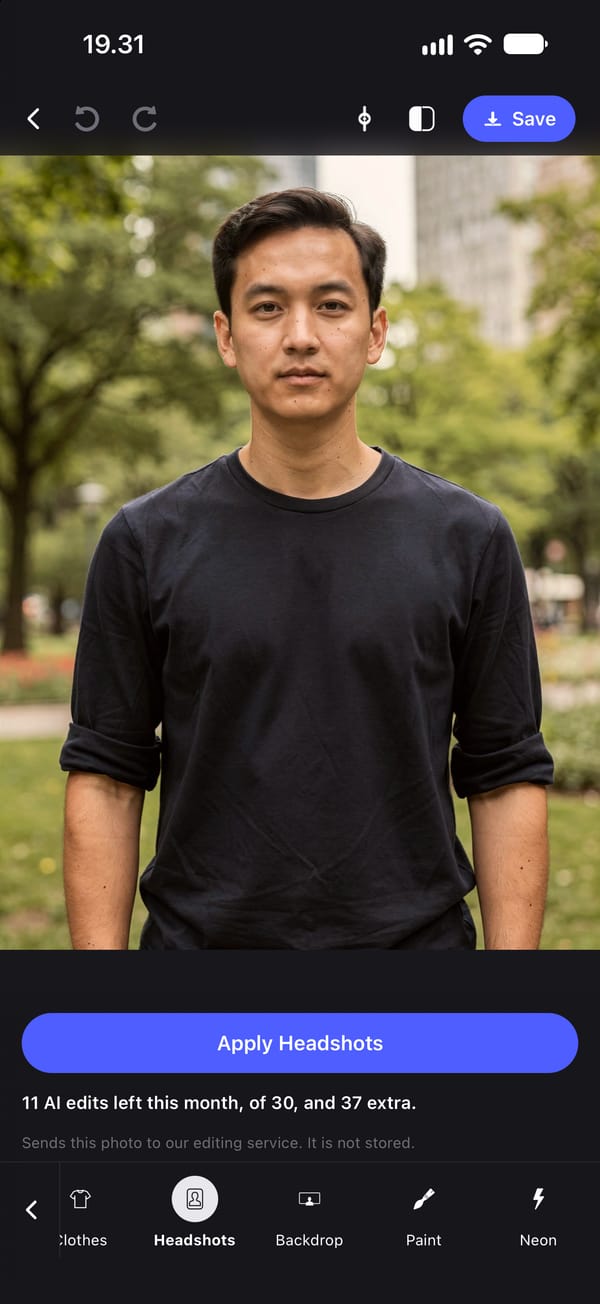
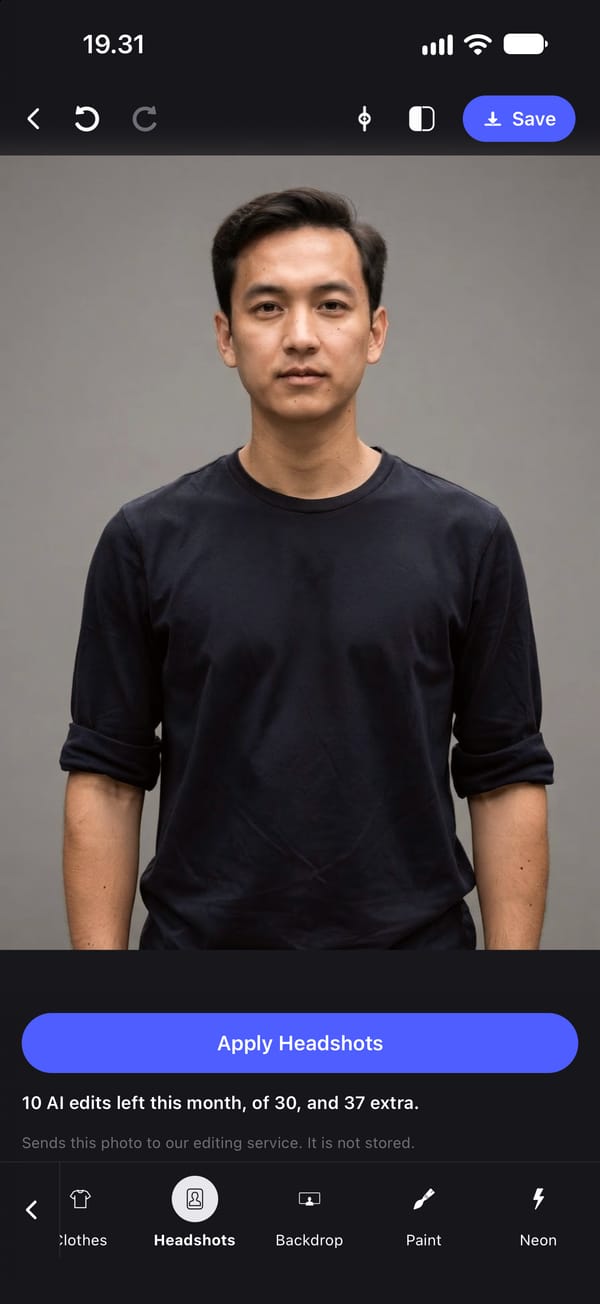
One photo in, one headshot out
Most AI headshot generators ask for ten or twenty selfies, train a model on your face, and return a batch of new portraits in poses you never took. PhotoTune's Headshots tool works the other way: it edits the one photo you choose.
It asks the model for even studio lighting and a plain neutral background, and to keep the pose and the expression. There are no styles to choose from and no prompt to write.
A professional headshot that still looks like you
Every request also tells the model to preserve the person exactly: the same face shape, bone structure and body proportions, and the same skin texture with its pores and lines, with nothing slimmed, reshaped or smoothed. That instruction is written on our server and cannot be changed from the app.
Generative models do not follow instructions perfectly, so look at the result closely. If it changed your face, tap Undo at the top of the editor to go back to the photo you started with.
What photo to start with
A clear, front-facing photo from the chest up works best, with your face in focus and not covered. The pose and expression are kept, so pick the one you would want on LinkedIn. Lighting and background are what the tool changes, so a phone photo in an ordinary room is a reasonable starting point.
Finish the headshot on your phone
After the AI edit, the on-device tools apply on top: Skin to soften small blotches, Heal for a spot, Whiten for teeth and eye whites, and Lighting and Filters for the final look. Backdrop swaps the plain background for an office or white one, and Clothes can change a top to a collared shirt, a dark blazer or a knitted jumper.
What gets sent, and what it costs
Headshots is an AI tool, so tapping it sends that photo to our editing service, which passes it to Google's Gemini and returns the result. We do not store the photo, and nothing is sent until you tap.
The edit is made on a copy of the photo up to 2048 pixels on its long side, which is enough for a profile photo but not your camera's full resolution. Each headshot uses one AI edit: subscriptions include 30 a month and the free trial includes 5.
How to make a professional headshot from a photo on iPhone
- 01
Choose a front-facing photo
Chest up, face in focus, with the expression you want to keep.
- 02
Open Headshots
You need to be signed in with a subscription or free trial, and online.
- 03
Tap to generate
The photo is sent, relit with even studio lighting on a plain background, and returned. It is not stored.
- 04
Check your face
Compare carefully. Tap Undo at the top of the editor if anything about your face changed.
- 05
Finish and export
Add Backdrop or Clothes if needed, touch up skin on the phone, and export.
FAQ
AI headshots: common questions
Still have a question?
Anything not answered here — a device, a photo it struggled with, or how the trial works — reaches a person at this address.
Ask a questionHow do I make a professional headshot from a selfie?
Start with a clear, front-facing photo, then use PhotoTune's Headshots tool, which gives it even studio lighting and a plain background while keeping your pose and expression.
How many photos does the AI headshot generator need?
One. It edits the photo you choose rather than training on a set of selfies, so there is no upload of ten or twenty photos.
Will the AI headshot change my face?
It is instructed not to: every request tells the model to keep your face shape, bone structure, body proportions and skin texture exactly. Results can still vary, so check it and tap Undo at the top of the editor if needed.
Can I choose the style of the headshot?
Headshots has no style options. Use Backdrop for a studio, office, white or outdoor background and Clothes for a shirt, blazer or knit.
Is my photo stored?
No. The photo is sent to our editing service when you tap Headshots and passed to Google's Gemini for the edit. Our service keeps no copy.
Step-by-step guides
Related tools
- Headshot editor
Headshot editor for iPhone
Edit a headshot on iPhone for LinkedIn, a team page or a profile photo. Even skin, fix lighting and keep it looking like you, then use the same edit on every headshot.
- Background changer
Change a photo background on iPhone
Change the background of a photo on iPhone to a studio wall, a blurred office, plain white or a warm outdoor scene. The person stays as they are.
- Natural retouch
Natural photo retouch for iPhone
A natural photo retouch app for iPhone. Smooth skin, clear blemishes and fix lighting while pores and skin texture stay. Retouching runs on your phone.
- AI hairstyles
AI hairstyle changer: try a new haircut on your photo
Try a new haircut, hairstyle, hair colour, beard or eyebrows on your own photo on iPhone. Twelve haircuts, six colours, and your face kept as it is.