 PhotoTune
 Home / Blemish remover
Remove blemishes from photos on iPhone
Remove blemishes from photos on iPhone by tapping them. PhotoTune’s Heal tool covers a pimple, spot or mark with clean skin copied from right beside it, so the skin keeps its texture and the photo does not look edited. It runs on your phone.
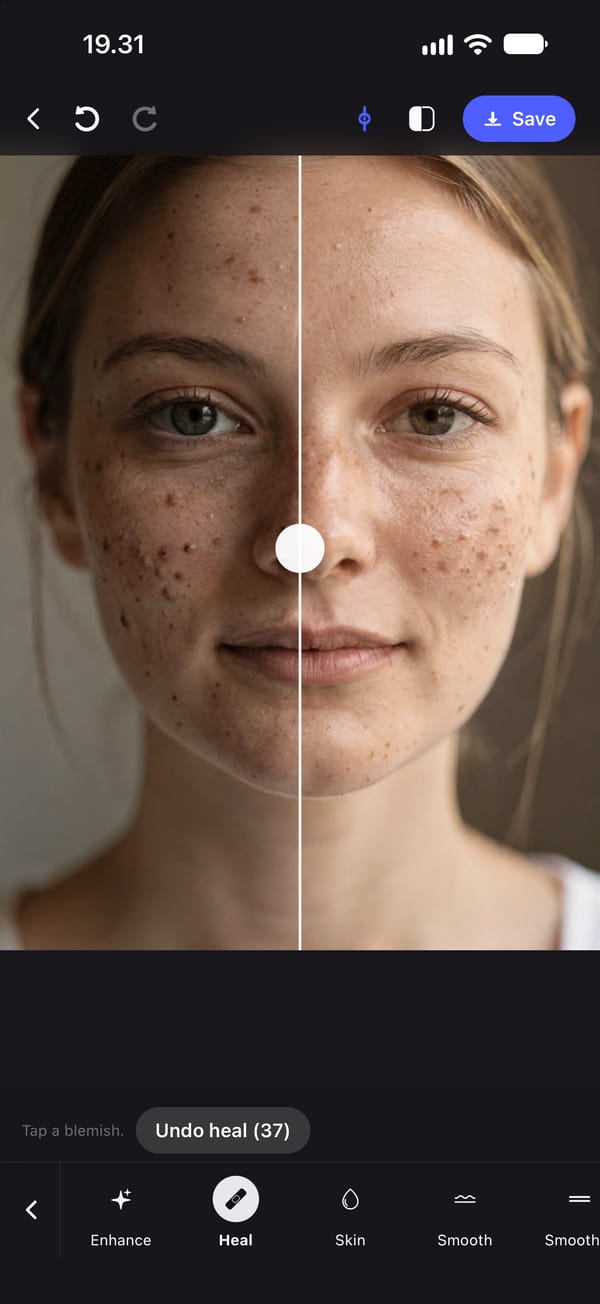
Get rid of blemishes on photos with one tap
Turn on Heal and tap the blemish. PhotoTune covers it with clean skin copied from right beside it, which is why the patch matches the colour and texture around it instead of leaving a smooth, blurred circle.
The brush size is set for you from the size of the face in the photo, so it covers a typical spot without spreading onto the skin around it. Tap again for each spot.
Why a spot remover beats smoothing the whole face
Smoothing harder to hide one pimple softens every pore on the face along with it. Healing only the spot leaves the rest of the skin untouched, which is what keeps the photo believable at full size.
For small red blotches that are left, use Skin afterwards. It softens them while putting fine detail back, and it never removes more than 65% of that detail. It does not change the colour of a wider red patch: no tool in the app recolours one area of skin.
Works on acne, scars, marks and stray hairs
Heal works on anything small that clean skin nearby can cover: a pimple, a mark, a small scar, a stray hair across the cheek or a speck of dust on the lens. It does not need a face in the photo, so a mark on an arm or a shoulder can be healed too.
Large areas are better left to smoothing. Healing a big patch copies the same nearby skin over and over, which starts to show.
Undo any spot on its own
Every heal is kept separately, so Undo heal steps back one tap at a time without touching the rest of the edit. Hold the photo to compare with the original.
Heals are part of that photo only. They are not saved into a Preset, because a spot in one photo is not in the same place in the next.
Blemish removal runs on your phone
Healing happens on the iPhone with no connection, and the photo is not sent anywhere. The export is a JPEG at the photo's own resolution, with no watermark.
How to remove blemishes from a photo on iPhone
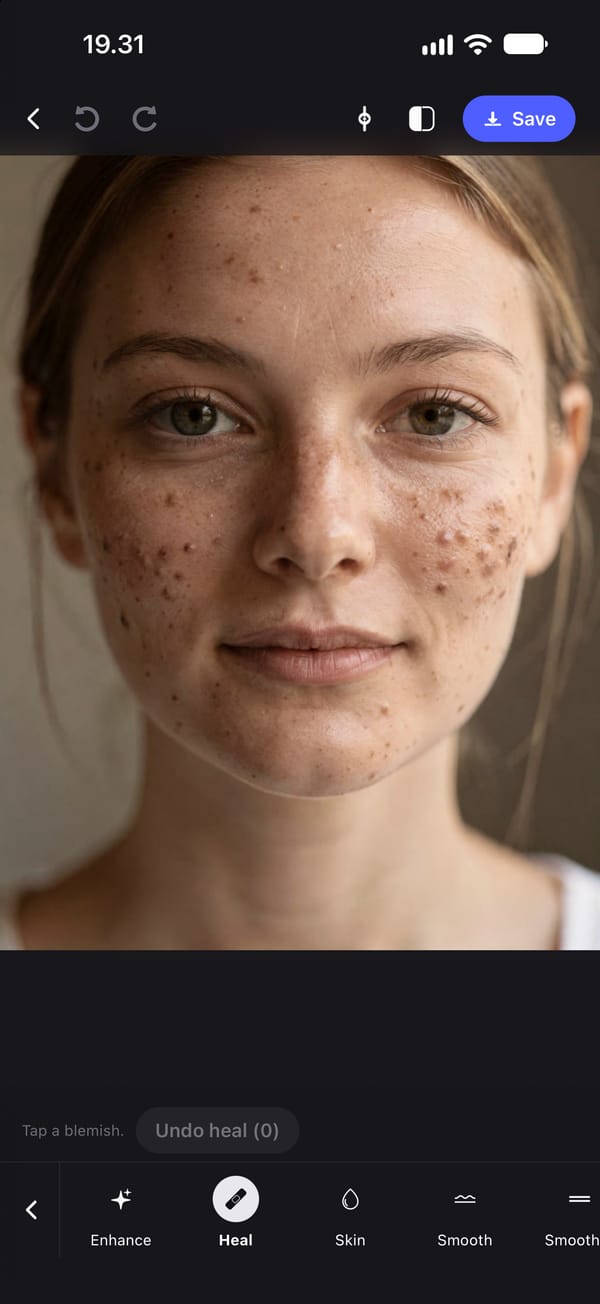
- 01
Open the photo
Choose the photo from your camera roll and open the Heal tool.
- 02
Turn on Tap a blemish
Zoom in if the spot is small, so the tap lands on it precisely.
- 03
Tap each spot
Each tap covers the blemish with clean skin copied from beside it. Undo heal removes the last one if it was not right.
- 04
Soften what is left, if needed
For small red blotches that are left, use Skin with a moderate Smoothing setting and keep Texture high.
- 05
Export
Save the photo to your camera roll, with no watermark.
FAQ
Blemish remover: common questions
Still have a question?
Anything not answered here — a device, a photo it struggled with, or how the trial works — reaches a person at this address.
Ask a questionWhat is the best app to get rid of blemishes on photos?
One that heals individual spots rather than blurring the whole face, so skin texture survives. PhotoTune's Heal copies clean skin from beside each spot and runs on the iPhone. It is iPhone only, on the App Store.
Can I remove acne from a photo without making skin look fake?
Yes. Heal the individual spots first, then use light smoothing only if small blotches remain. Smoothing in PhotoTune always puts back at least 35% of fine skin detail.
Does the blemish remover need a face in the photo?
No. Heal works on any photo, including marks on arms, shoulders or backgrounds.
Can I remove scars or birthmarks from a photo?
Small ones, yes, by tapping them with Heal. Whether to remove a permanent feature is your choice; the tool treats every spot the same.
Does removing blemishes send my photo to a server?
No. Healing runs on the phone and needs no connection.
Step-by-step guides
Related tools
- Pimple remover
Pimple remover for iPhone photos
A pimple remover for iPhone photos. Tap a pimple and Heal covers it with clean skin from right beside it, so the skin keeps its texture. Runs on your phone.
- Natural retouch
Natural photo retouch for iPhone
A natural photo retouch app for iPhone. Smooth skin, clear blemishes and fix lighting while pores and skin texture stay. Retouching runs on your phone.
- Teeth whitening
Whiten teeth in photos on iPhone
Whiten teeth in photos on iPhone without the bright white look. A teeth whitening app with sliders for teeth and eye whites, placed by face detection on your phone.
- Remove objects
Remove objects from a photo on iPhone
Remove objects, people in the background or text from a photo on iPhone. Paint over what to remove, or let the AI find background clutter, people or signs.